
The content was deleted
You can still see which monitor failed. The retained title, content type and expected URL give you enough context to investigate instead of leaving an unexplained missing record.
Page Content Guard - FREE core plugin
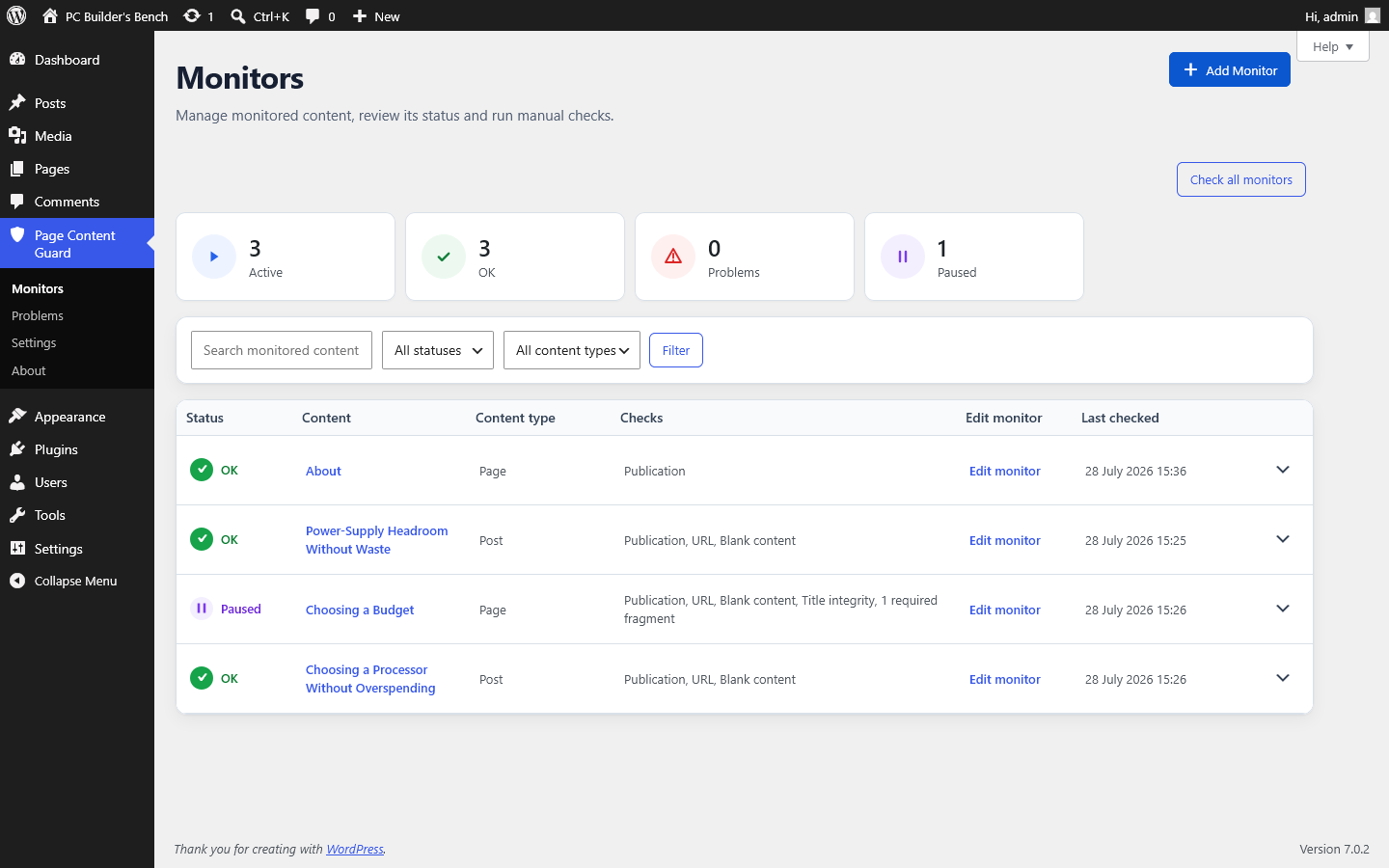
If you are responsible for a WordPress site, you probably have a few pages you cannot afford to forget about.
Page Content Guard lets you define what must stay true about selected pages, posts and supported public custom post types. It shows you when WordPress no longer matches those conditions - because content was deleted, unpublished, moved, renamed, left blank or lost wording that must remain.
Start with FREE. It has no expiry date and no numerical limit on active monitors or required fragments. PRO is for the point where scheduled checks, email summaries, history and bulk tools save you enough work to justify paying for them.
The checks run inside your WordPress site. No remote monitoring account or external API is required.
On this page
The problem
That is the awkward kind of WordPress problem: nothing crashes, so nobody goes looking for it.
A page is moved to draft during an edit. A slug changes during a migration. A shortcode disappears. An older version of a required sentence returns. The rest of the site keeps loading, and the problem waits until a customer, colleague or search result exposes it.
Instead of relying on somebody to remember every important page, you choose the WordPress content and the conditions that matter. Page Content Guard checks those conditions after relevant changes or whenever an administrator runs a manual check.
If a condition fails, the plugin opens a current problem and keeps the original monitor in place. It will not attach it to another post, rewrite your content or guess what the correct replacement should be.
You can still see which monitor failed. The retained title, content type and expected URL give you enough context to investigate instead of leaving an unexplained missing record.
If monitored content moves to draft, private or trash, the publication check reports it. This core check stays enabled because a hidden page cannot do the job you expected from it.
If the generated permalink no longer matches the accepted URL, you can restore the old address or verify the change and explicitly accept the new one.
An optional exact-title baseline tells you when WordPress stores a different title. Saving the monitor does not quietly accept the new value.
For supported content, the plugin can report when standard WordPress content has become clearly blank instead of leaving you to discover an empty page later.
You can watch for a saved fragment, link, shortcode or piece of wording that must remain in standard post_content.
Workflow
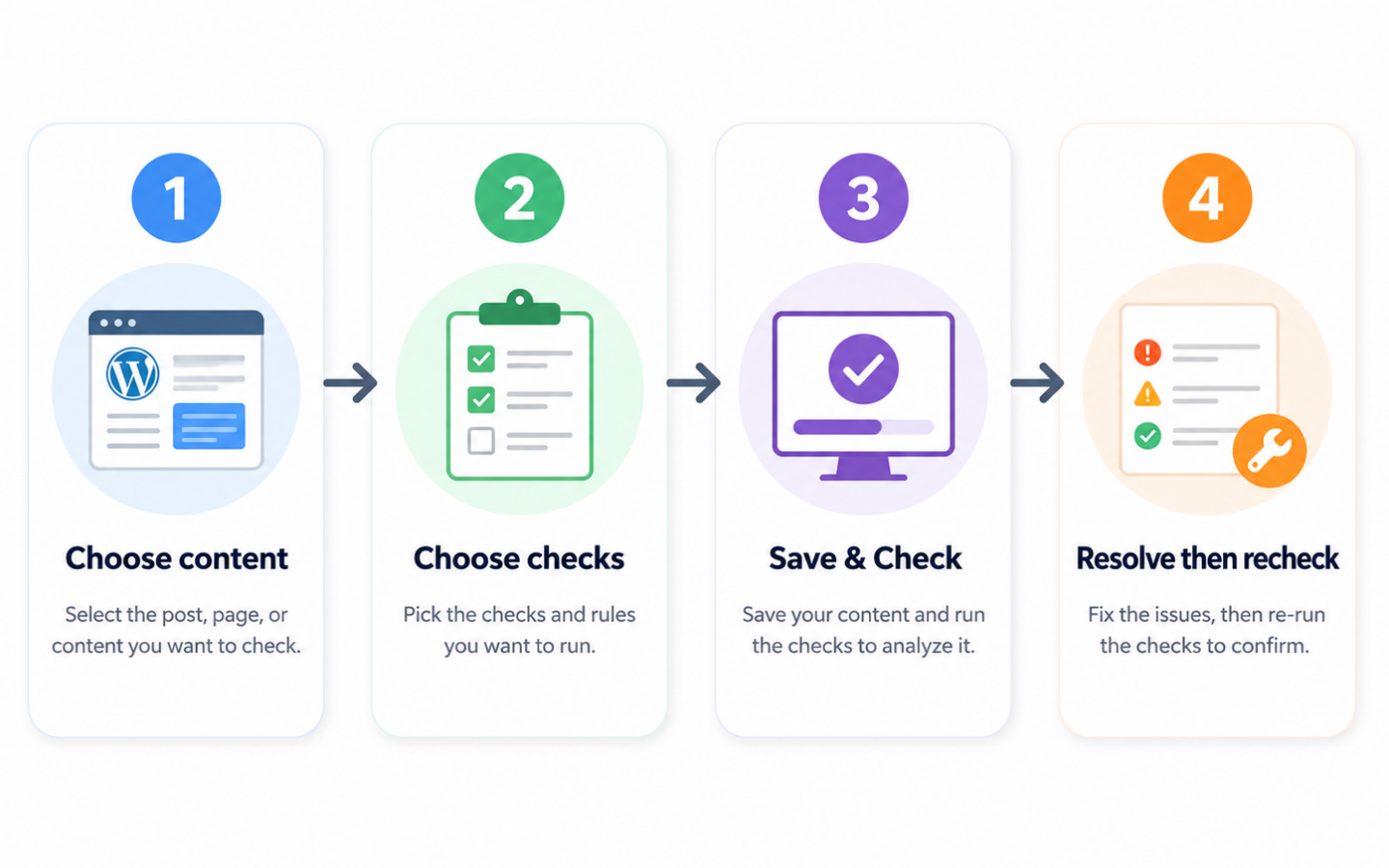
The plugin does not judge your copy or monitor every page by default. Each monitor belongs to one WordPress record and checks only the conditions you choose.
Select a published page, post or supported public custom post type. The monitor stays tied to that WordPress record; this is not a general URL watcher.
Publication status is always checked. Add URL monitoring, blank-content checking, title integrity or required fragments only where they match the way that content is stored.
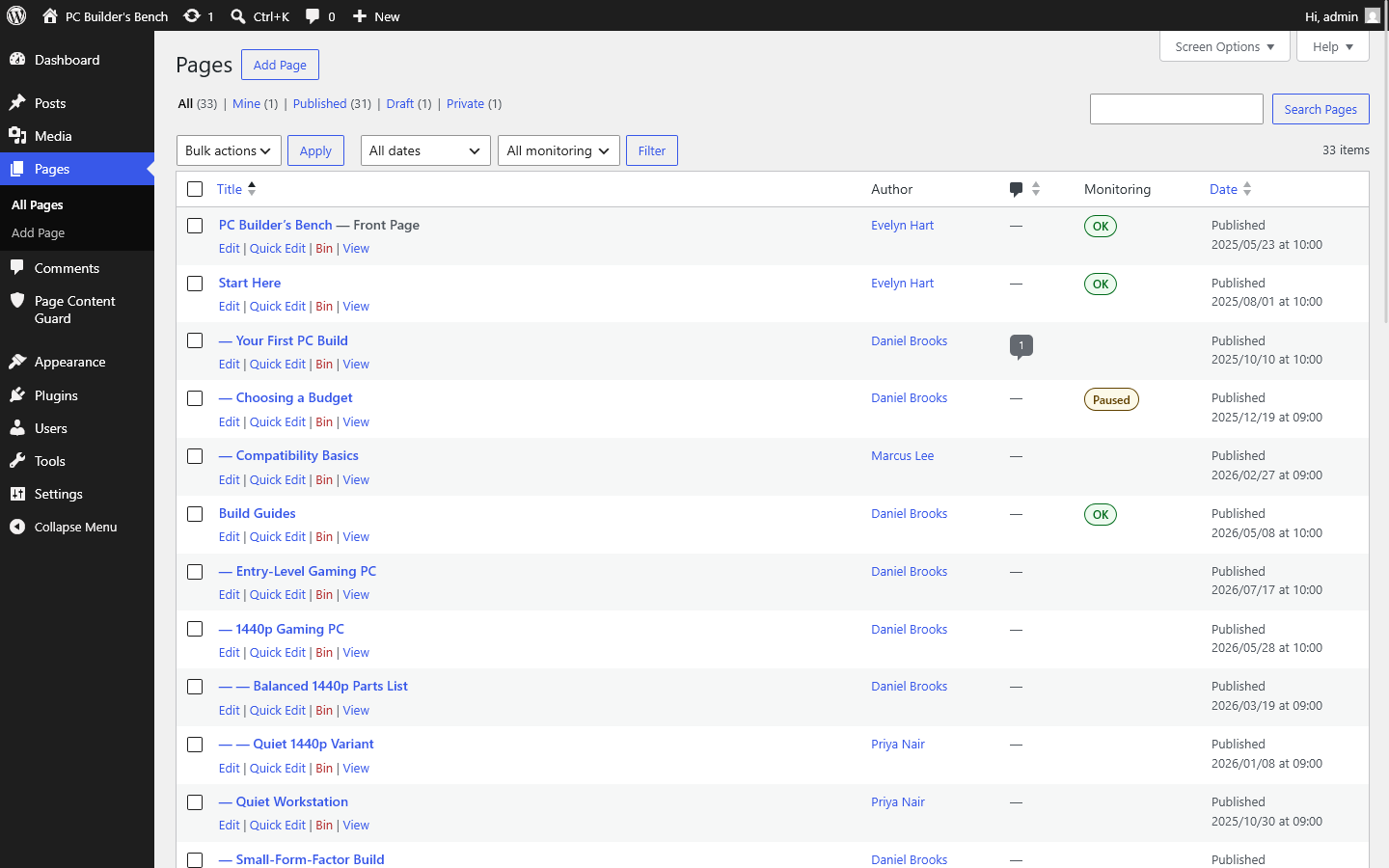
Save & Check stores the monitor and runs a check straight away. You see whether it is OK, unchecked, paused or problematic.
After the cause is fixed, a successful recheck clears the problem. Intentional URL and title changes have explicit acceptance actions, so a new baseline is never assumed.
Included in FREE
FREE is not a temporary demo. It contains the monitors, core checks, current problems and normal administration you need to decide whether this approach works on your site.
You can create as many eligible monitors and valid required fragments as you need. PRO is not payment to remove an arbitrary quota; it is payment for automation, deeper history and tools that save work at a larger scale.
post_content has not become clearly blankInterface
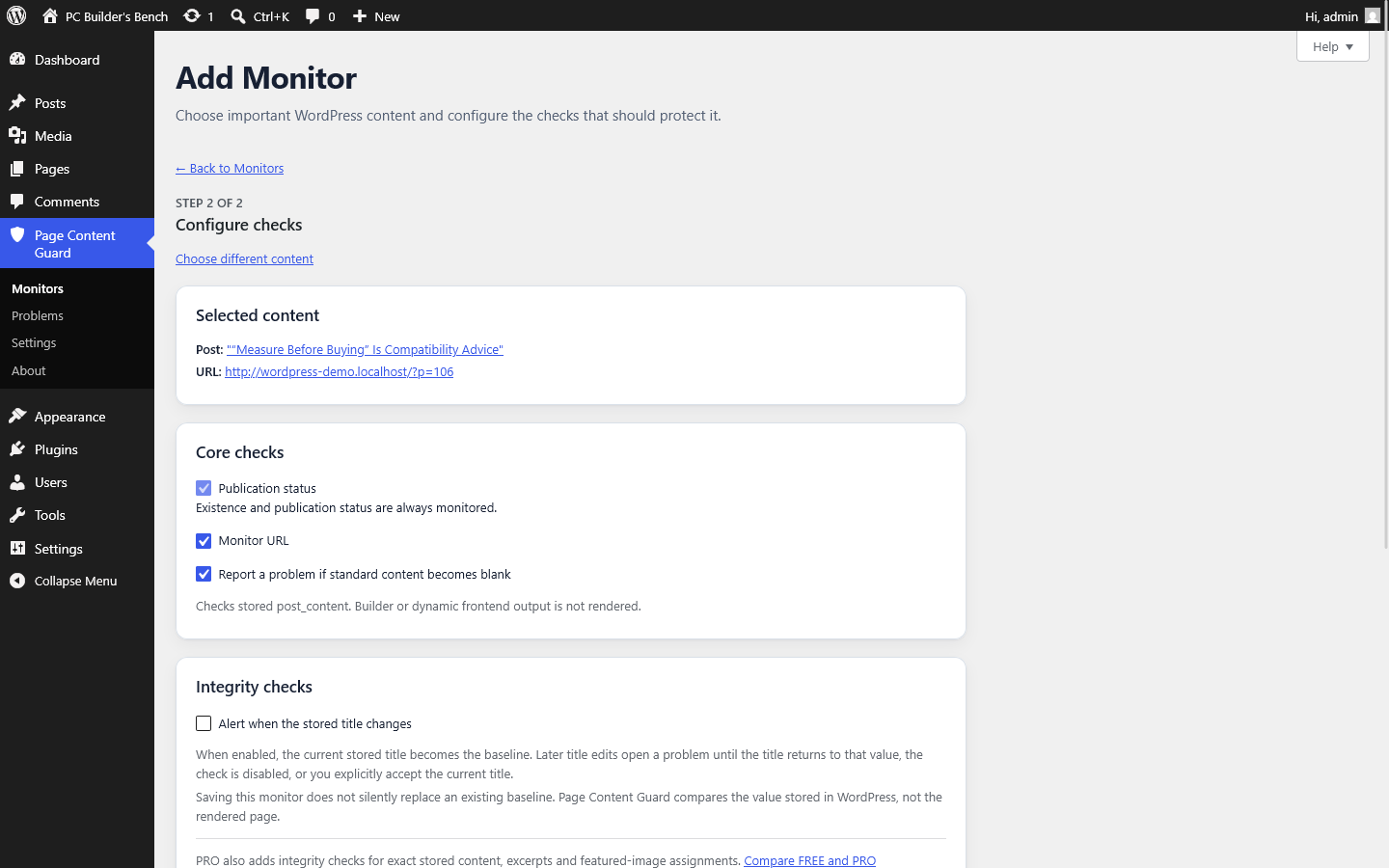
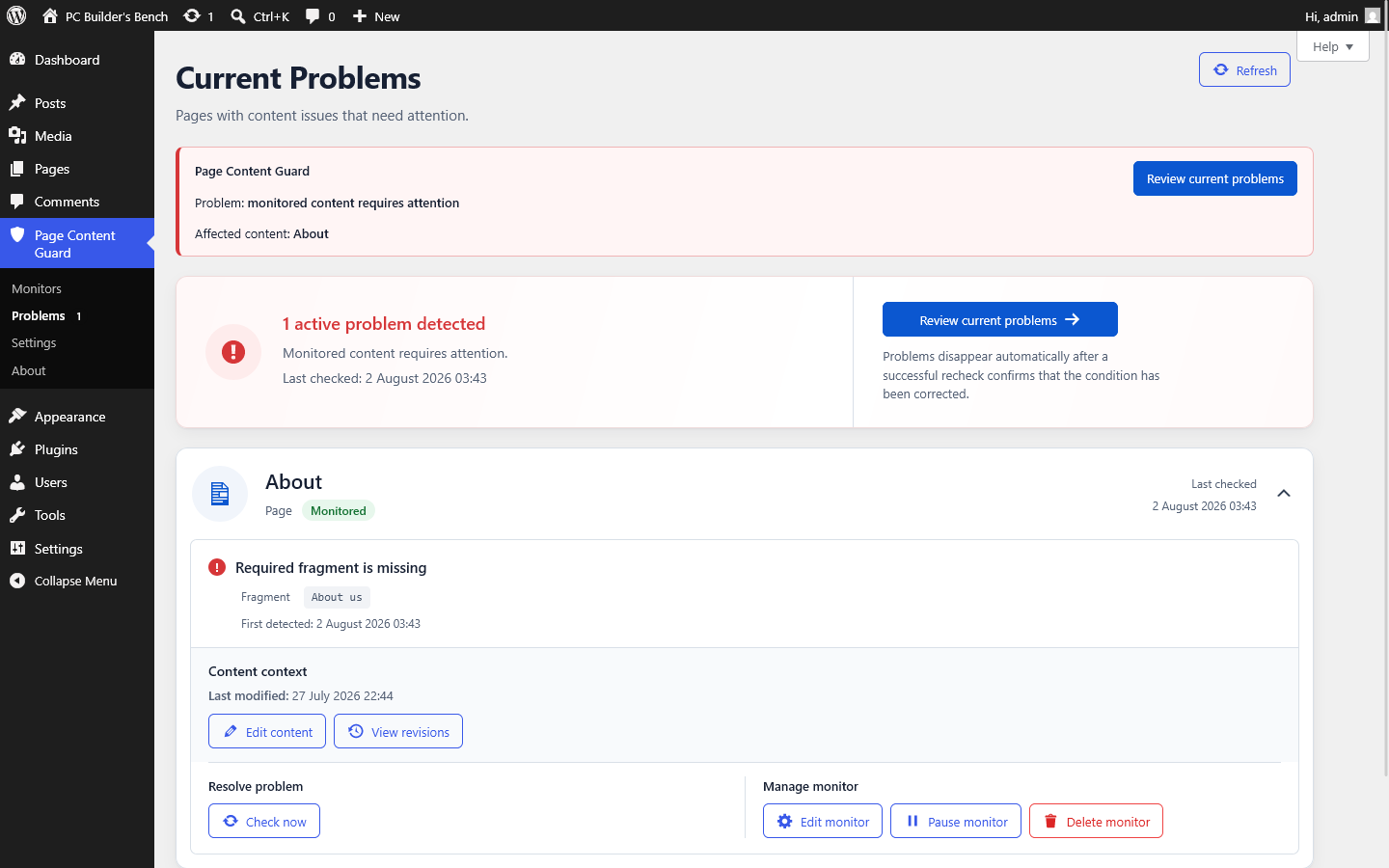
There is no separate monitoring service to learn. You configure monitors, review status and resolve current problems inside WordPress. Select an image to enlarge it.
Choose the edition
If you are happy to run checks yourself and review the current state in WordPress, FREE may be all you need.
PRO is a separate add-on for sites where that routine should not depend on somebody remembering it. It adds scheduled checks, email summaries, incident history, advanced stored-value baselines, forbidden fragments and tools for larger monitor sets.
PRO extends the FREE plugin rather than replacing it, so a compatible FREE installation must remain active.
| Feature | FREE | PRO |
|---|---|---|
| Unlimited non-paused monitors | Included | Included |
| Unlimited valid required fragments | Included | Included |
| Checks after relevant content changes | Included | Included |
| Manual single and bulk checks | Included | Included |
| Current Problems | Included | Included |
| Stored-title integrity | Included | Included |
| Scheduled checks | Not included | Included |
| Email transition summaries | Not included | Included |
| Open-problem reminders | Not included | Included |
| Incident history | Not included | Included |
| Filtered CSV history export | Not included | Included |
Stored post_content integrity | Not included | Included |
| Excerpt integrity | Not included | Included |
| Featured-image integrity | Not included | Included |
| Forbidden fragments | Not included | Included |
| Bulk Setup | Not included | Included |
| Bulk Pause and Resume | Not included | Included |
| Accept All Current URLs | Not included | Included |
| PRO scheduler and mail diagnostics | Not included | Included |
Where it fits
Not every post needs a monitor. The useful targets are the pages and records whose disappearance, wrong URL or missing wording would create a real problem for the site.
You decide which conditions matter. The plugin checks them consistently; it does not decide whether your wording is commercially, technically or legally correct.
Technical boundary
Page Content Guard checks WordPress records and stored values. It does not visit the public page as a customer would.
post_content for blank content or fragmentsCompatibility
A page-builder page can still benefit from existence, publication-status and usable-permalink checks.
Blank-content and fragment checks need more care because they inspect standard WordPress post_content. If the builder stores the visible page entirely in its own fields, those checks may say nothing useful about what a visitor sees. Dynamic blocks and shortcodes are not executed.
Check the Compatibility and Limitations guidance before relying on content rules for a builder-managed page.
Read the page-builder guidancePrivacy and network activity
I deliberately kept this out of another hosted dashboard. The plugin stores monitor configuration, current issue state and operational timestamps in the local WordPress database.
When integrity checks are enabled, stored data may also include SHA-256 fingerprints, baseline times, small display snapshots, attachment IDs and optional WordPress revision IDs. Full post_content is not copied into an integrity baseline.
When PRO email notifications are enabled, the relevant issue summary is passed to the site's configured WordPress mail system and sent separately to the recipients chosen by an administrator.
Read the data and privacy documentationPage Content Guard FREE has been submitted for review and will be available after publication in the WordPress.org plugin directory.
Quick start
Do not begin by configuring the whole site. Install FREE, add one important page and review the immediate result. That will show you whether the monitoring model fits your work.
Read the full Getting Started guideCommon questions
No. It checks the WordPress content record, generated permalink and supported stored values. It does not make an HTTP request or render frontend output.
No. FREE checks after relevant content events and through manual Check now or Check all monitors actions. Scheduling and email are PRO features.
No. Version 2.3.1 removed the former numerical limits. Every non-paused monitor and every valid required fragment remains active without PRO.
FREE monitoring continues for every non-paused monitor and required fragment. PRO baselines, forbidden rules, settings and history are preserved, but paid behaviour remains unavailable until a compatible PRO version is active again.
The monitor remains and shows a missing-content problem using retained context. It does not automatically attach itself to a replacement post.
No. It can monitor selected stored wording. It does not provide legal advice and cannot confirm that a document is correct or complete.
Yes, but not by deactivation alone. Data is preserved by default. FREE includes an explicit setting that removes FREE and PRO data when the FREE plugin is deleted.
If FREE is enough
If manual checks give you everything you need, keep using FREE. If it saves you time and you would like to support the testing, fixes and documentation behind it, there is a separate voluntary Donate page.
Start with FREE
Install FREE, add one page that matters and run the first check. That will tell you more than another feature list - and it will also show whether you need PRO or whether manual checking is enough.