
FREE should be genuinely useful
You can create as many monitors and required fragments as the site needs. PRO is not payment to remove an arbitrary quota.
Independent WordPress tools
Harbour Atelier is a small independent project. I build focused plugins for WordPress maintenance jobs that are easy to forget until something quietly goes wrong.
If an important page is deleted, unpublished, moved or loses wording that must stay there, Page Content Guard gives you a way to check it instead of relying on memory or luck.
The checks run inside your WordPress site. No remote monitoring account is required.
Page Content Guard
WordPress can keep serving a site while a legal notice, checkout instruction, shortcode or landing-page URL has changed. Unless somebody spots it, the problem can remain invisible.
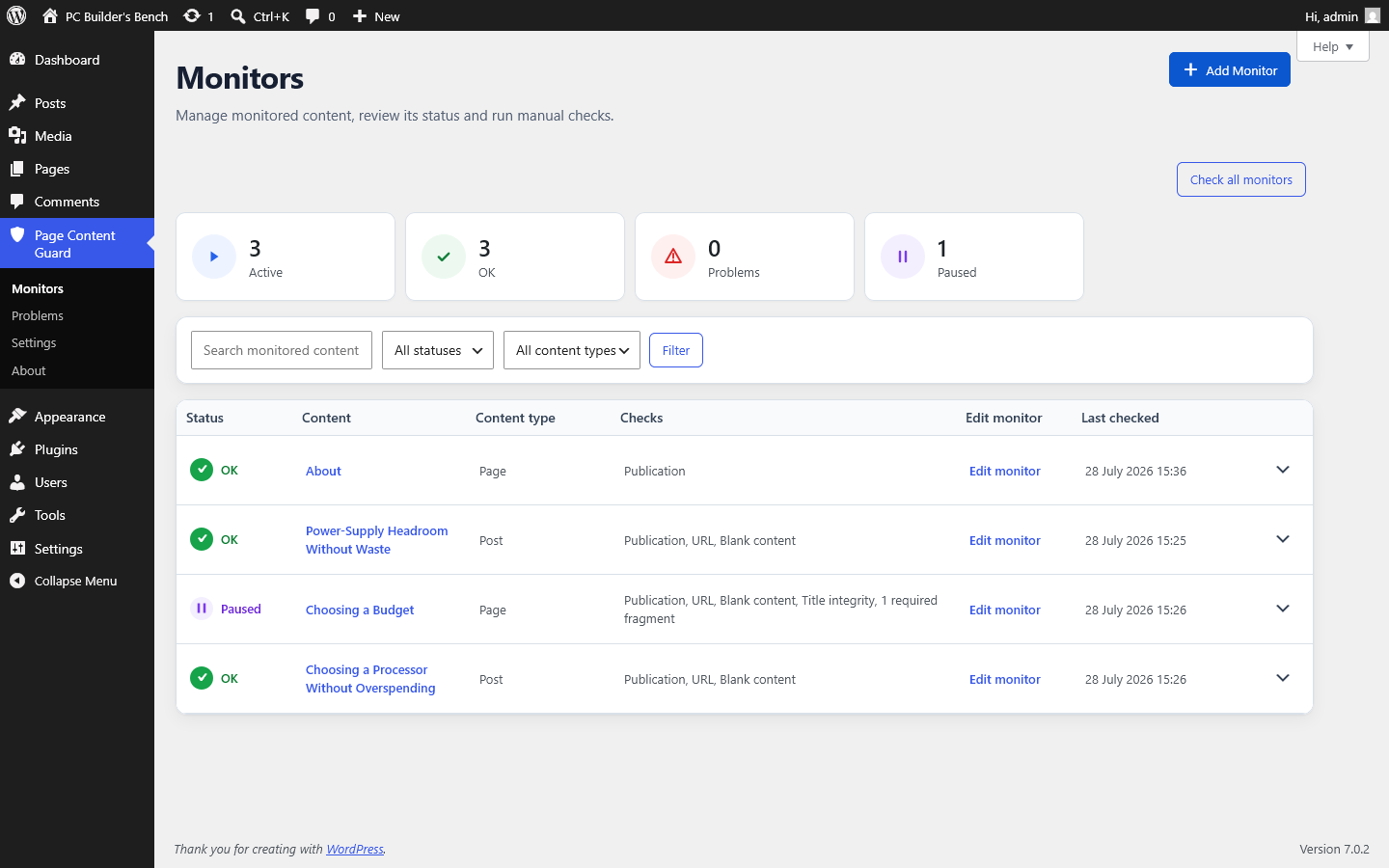
Choose the pages and posts that matter, then define what must stay true. Page Content Guard records those conditions and shows a problem when WordPress no longer matches them.
FREE gives you the core checks and manual control without monitor limits. PRO is for sites where nobody should have to remember another recurring task: scheduled checks, email summaries, incident history, stronger integrity rules and bulk tools.
Why the plugins stay small
I have spent enough years working with WordPress to know how quickly a useful tool can turn into another dashboard, account and dependency. Harbour Atelier plugins are kept close to the job they were made for.
That means local data where practical, a genuinely useful FREE version, paid features that save real work and limits written down before you install.
You can create as many monitors and required fragments as the site needs. PRO is not payment to remove an arbitrary quota.
Monitor configuration and results stay in WordPress. PRO sends notification content only through the site's own mail setup to recipients selected by an administrator.
PRO adds scheduled checks, email summaries, history, advanced integrity checks and bulk tools - the parts that save time when the site matters to a business.
Page Content Guard checks stored WordPress records. It does not render the public page, test forms or prove that an email reached an inbox.
Help & Documentation
The documentation covers first setup, each check, intentional URL and title changes, WordPress Cron, email delivery, page builders, data removal and the main failure cases.
Start there before opening a support discussion. In most cases, the exact limitation or next step is already documented.
Open Help & DocumentationTry the core plugin first
When FREE is available on WordPress.org, install it and create a monitor for one page that matters - a legal page, a sales page, an important instruction or any content you would rather not discover broken by accident.
If manual checks are enough, stay with FREE. If the site needs scheduled checks, email summaries and a record of past incidents, add PRO later without rebuilding the monitors.
Page Content Guard checks content and metadata stored in WordPress. It does not load the public page, execute forms or verify the rendered design.